
Calemio App Guide
See our step-by-step guide to getting the most out of Calemio.
How Calemio works
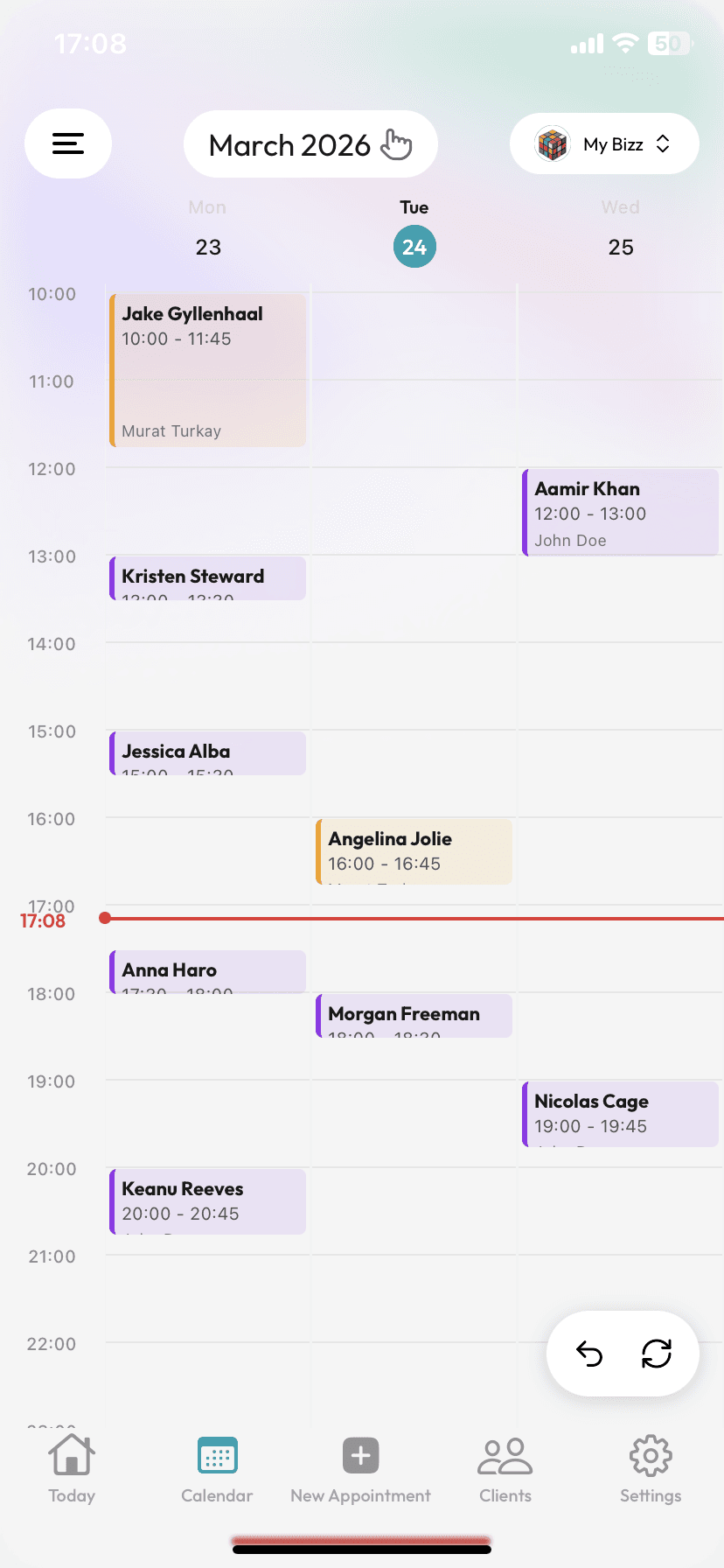
Create your account & set your calendar
Sign up in minutes; define your working days, session lengths, and the buffer time between sessions. Your calendar is ready instantly.
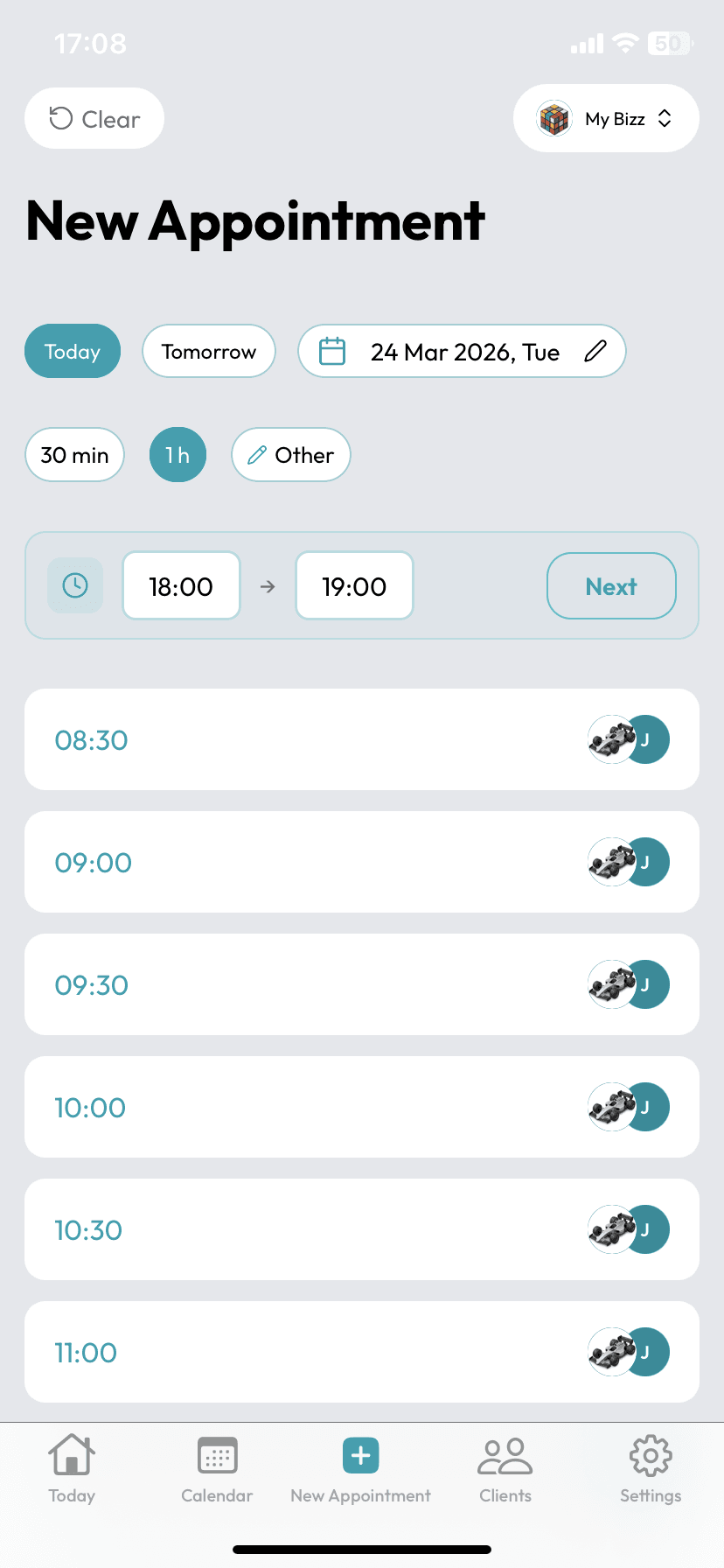
Manage appointments in one tap
Book sessions and let SMS reminders and confirmations go out automatically in the background. Gaps fill up, no-shows go down.
Create your account & set your calendar
Sign up in minutes; define your working days, session lengths, and the buffer time between sessions. Your calendar is ready instantly.
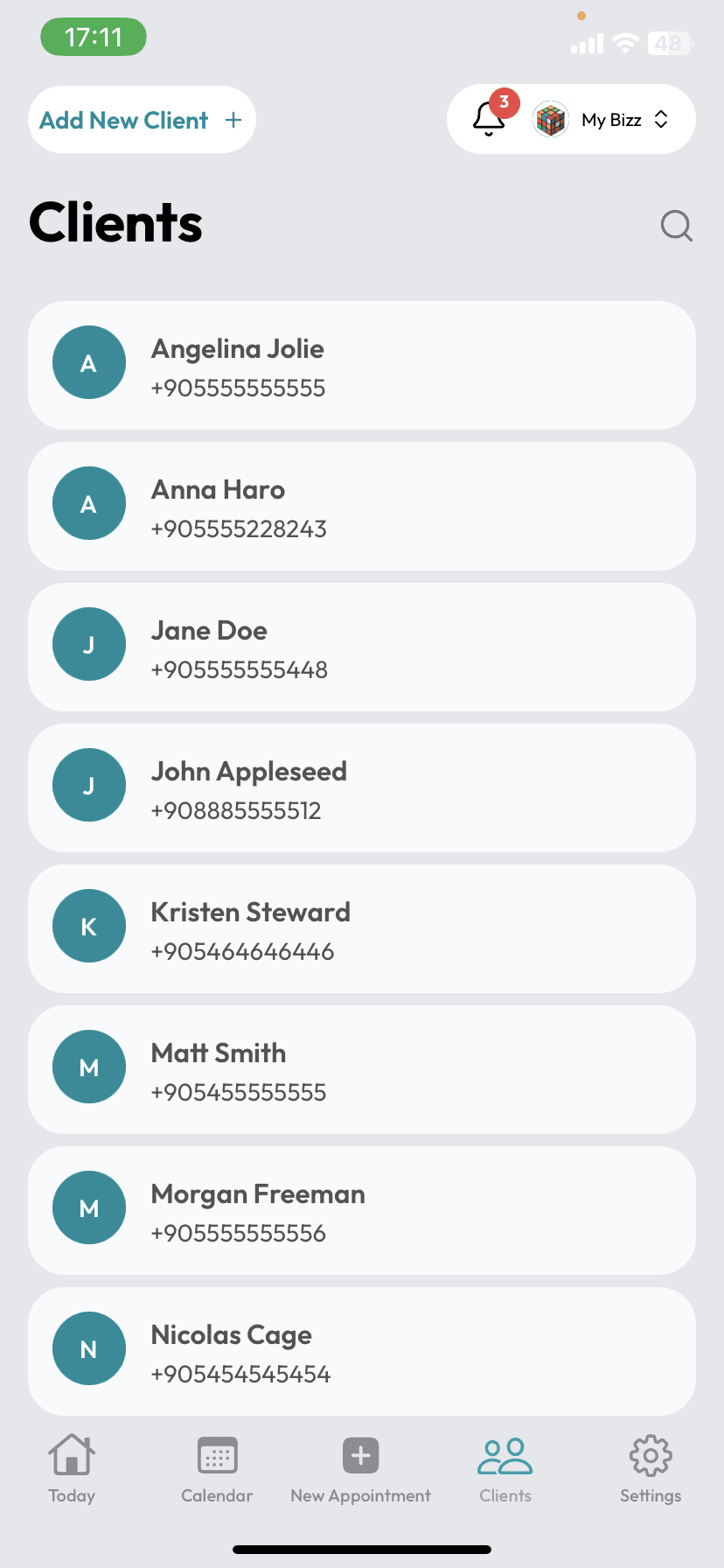
Add your clients, safely
Add clients one by one, or photograph a page of your client notes and let the AI read it. Everything is stored encrypted at KVKK/GDPR grade.
Manage appointments in one tap
Book sessions and let SMS reminders and confirmations go out automatically in the background. Gaps fill up, no-shows go down.
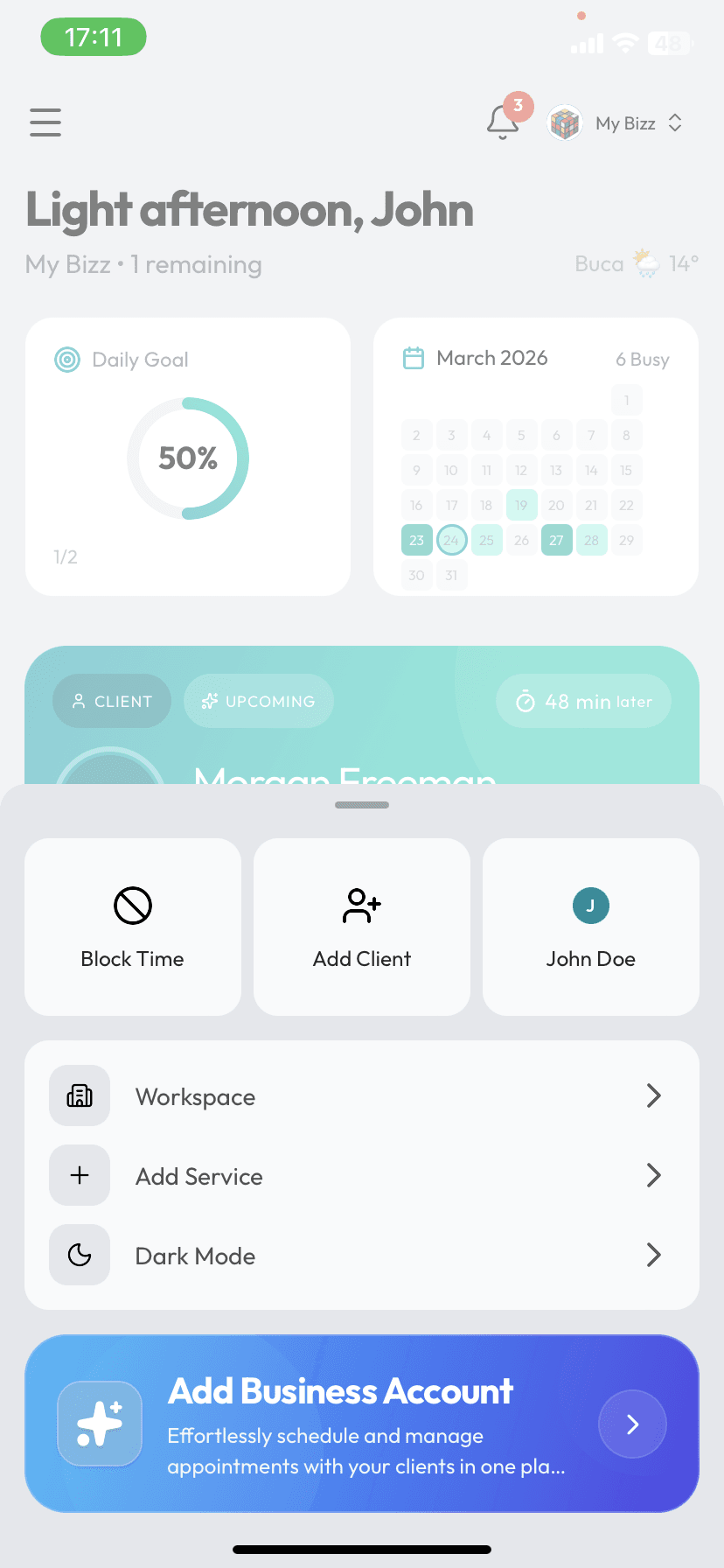
Keep a pulse on your clinic
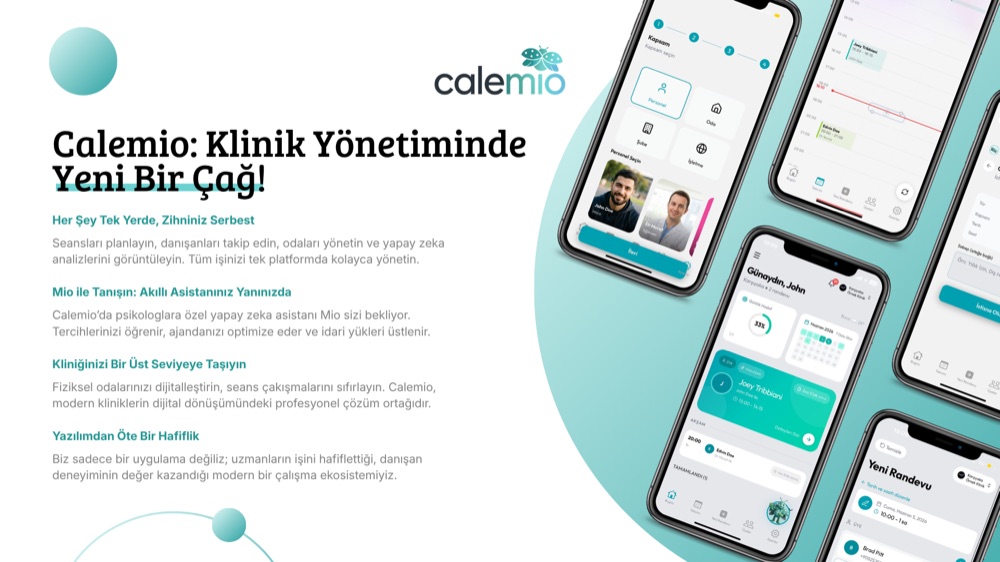
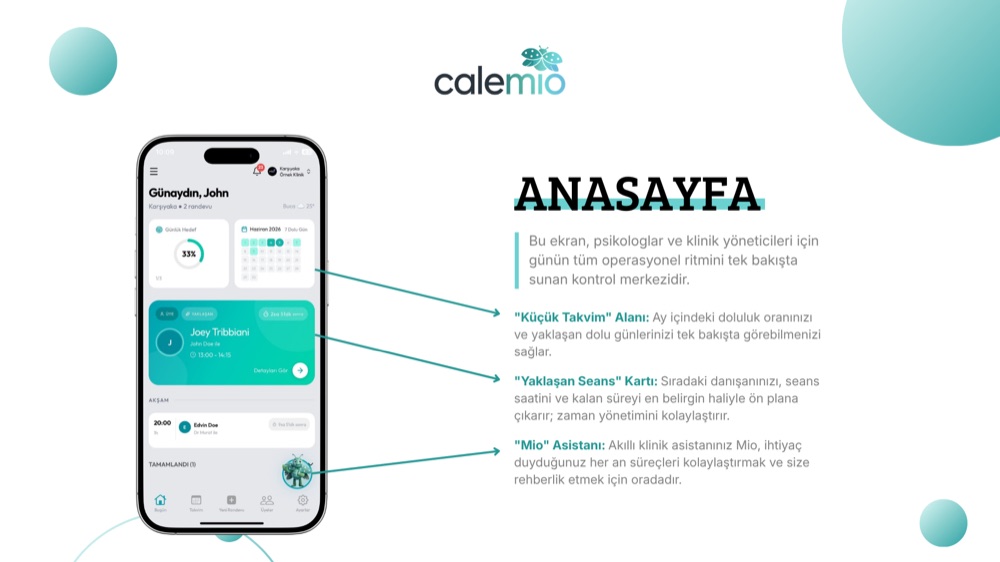
Track daily goals, upcoming sessions, and clinic stats from a single screen. Mio takes the tiring admin work off your hands.
Add your clients, safely
Add clients one by one, or photograph a page of your client notes and let the AI read it. Everything is stored encrypted at KVKK/GDPR grade.
Keep a pulse on your clinic
Track daily goals, upcoming sessions, and clinic stats from a single screen. Mio takes the tiring admin work off your hands.
Meet Mio.
Mio picks up the scheduling, confirmations, and no-show follow-ups. She speaks your clients' language, honors quiet hours, and knows when not to interrupt a session.

Your evenings, back.
KOSGEB-backed · Developed inside a Turkish technology park